
Hello!
I've got a good and a bad new:
The bad one is that i have stopped posting in the last weeks because I've been really busy with many important (and not so important) things...
The good thing about it is that i have realized that i should have done one thing before going any further into the tutorials: to make a decent tileset, it may look a trivial thing but it's not at all: there are many things in the game that need the graphics, so no graphics, no game.
When i started to make the tileset, first i tried to use one of the many free tilesets wandering around the net, i started googling but after searching for hours i discovered a few things:
1 -It is real hard to find good-quality tilesets.
2 -Tilesets are very genre-specific, so i discarded many tyrian-zelda-pokemon-clones.
3 -When i started to found rpg-tilesets , it was not like i could use straight the tilesets, i should need to adjust the size, clean the background so it has a transparent color, not bricks....
Finally i have chosen to use the nethack graphical tileset to create my own one, in the next post i'll be showing it and how i did (part of the tiles, no credits at all to me)...
bye
Monday, May 23, 2011

Tuesday, April 5, 2011
Code::Blocks(13) RPG 1 - The Hero has a Name!
I'm back again!
< In the previous tutorial i didn't made use of part of the features that come with C++ : classes, so it's time to use them to define and store data about our hero and the map, into the player class i want to define the player creation process, finally i want to create a Main Menu for the game...>
I think I'm very ambitious with that post, but the objectives are:
First let's start creating two classes: cplayer and cmap, to do that code::blocks has an assistant to design classes, so resuming from the code in the previous post we should select "File" > "New" > "Class":

In the class name , write "cplayer", and then mark "Header and implementation shall be in the same folder", then press "Create":

Select "Yes" to add the files to the project and...

Press ok, so we will use files both to debug and compile the release project, we need to create a second class "cmap", so just repeat the steps,and save the project.
Now let's start modifying the cmap class, we have two files cmap.h (header) and cmap.cpp (implementation), in the header we are going to define the variables and functions , so we are going to move the Uint8 Map[x][y][layer] to the class, we need too a pair of functions to get and set the values in the map array, so our cmap header will finally be:
Now we have to implement the functions in cmap.cpp:
<cmap::cmap(creator)>
<cmap::SetTile>
<cmap::GetTile>
That's it! Now we have a simple class that will store the map data, notice that i've inserted into the creator the code to define a map.. it's not the better way to do that , but i wanted to show how we can separate code into classes , now we need to change a few things in the main program to use the new class, first we have to insert into rpg.cpp:
So we actually use the class, now let's create a variable to use the map:
Then i will erase the old Uint8 Map definition and the old map initialization, now everything is inside mymap, finally we have to update the map blitting functions to draw the map:
Notice before i used Map[x][y][layer], now mymap.GetTile(x,y,layer), time to "Build and Run" the project to see what happens, if you have followed all the steps, you should get the same results than in the previous post, it's ok because we have just changed a variable with a class.
We have to create the player class too, so let's move the PcX,PcY and PcSpeed to the cplayer class:
<cplayer.h>
I've added too the player's name variable, and the functions to get/set the values:
<cplayer.cpp>
Now we return again to rpg.cpp, we have to add:
So we actually use the class, now let's create a variable to use the player:
And initialize the values:
Keyboard input changes, to use the player's class:
And finally the blitting functions need to be adapted too so they use the player class:
Well, our player has a name and we want to show it, so that's what i'm going to make here:
We display player's name at his right side, it can be easily modified so the name moves to another side...

<update>
Post is getting way too big, I'm going to split it so it's going to be easier to follow..
See you
< In the previous tutorial i didn't made use of part of the features that come with C++ : classes, so it's time to use them to define and store data about our hero and the map, into the player class i want to define the player creation process, finally i want to create a Main Menu for the game...>
I think I'm very ambitious with that post, but the objectives are:
- Create at least two classes: cplayer and cmap
- Define a Player creation process
- Create a Main Menu..
First let's start creating two classes: cplayer and cmap, to do that code::blocks has an assistant to design classes, so resuming from the code in the previous post we should select "File" > "New" > "Class":

In the class name , write "cplayer", and then mark "Header and implementation shall be in the same folder", then press "Create":

Select "Yes" to add the files to the project and...

Press ok, so we will use files both to debug and compile the release project, we need to create a second class "cmap", so just repeat the steps,and save the project.
Now let's start modifying the cmap class, we have two files cmap.h (header) and cmap.cpp (implementation), in the header we are going to define the variables and functions , so we are going to move the Uint8 Map[x][y][layer] to the class, we need too a pair of functions to get and set the values in the map array, so our cmap header will finally be:
#ifndef CMAP_H #define CMAP_H #include//SDL library class cmap { public: cmap(); virtual ~cmap(); Uint8 GetTile(int x, int y, int layer); //Get tile value void SetTile(int x, int y, int layer, Uint8 Tile);//Set tile Value protected: private: Uint8 Map[50][50][3]; //The map, now it has three layers int x,y; }; #endif // CMAP_H
Now we have to implement the functions in cmap.cpp:
<cmap::cmap(creator)>
cmap::cmap()
{
    //ctor
    for (x=0;x<50;x++){ // Map size 50x50 tiles: 5000 x 5000 pixels
    for (y=0;y<50;y++){
        Map[x][y][0]=0; //clean the map layer 1 so everything is "0" >> "sand"
        Map[x][y][1]=63; //clean the map layer 2 so everything is "63" >> nothing
        Map[x][y][2]=63; //clean the map layer 3 so everything is "63" >> nothing
    };//end y for
 };//end x for

for (x=2;x<5;x++){
    for (y=2;y<7;y++){
                Map[x][y][0]=2; //A lake
                Map[x+4][y][0]=1; //Grass..
    };//end y for
 };//end x for

for (x=1;x<5;x++){
    Map[x][2][1]=8; //Trees
    Map[x][3][1]=10; //A road
}; // end for x

Map[5][3][1]=12; //A road
Map[5][2][1]=14; //A road
Map[6][2][1]=10; //A road

Map[6][3][1]=9; //A volcano

Map[3][3][2]=25; //Coins
Map[4][3][2]=25; //More coins

for (x=0;x<50;x++){
                Map[x][0][0]=2;
                Map[x][49][0]=2;
                Map[0][x][0]=2;
                Map[49][x][0]=2;
 };
}
<cmap::SetTile>
void cmap::SetTile(int x, int y, int layer, Uint8 Tile) //Set tile value
{
       Map[x][y][layer]=Tile;
}
<cmap::GetTile>
Uint8 cmap::GetTile(int x, int y, int layer) //Get tile value
{
        return Map[x][y][layer];
}
That's it! Now we have a simple class that will store the map data, notice that i've inserted into the creator the code to define a map.. it's not the better way to do that , but i wanted to show how we can separate code into classes , now we need to change a few things in the main program to use the new class, first we have to insert into rpg.cpp:
#include "cmap.h" // The Map class
So we actually use the class, now let's create a variable to use the map:
cmap mymap; // Our map class
Then i will erase the old Uint8 Map definition and the old map initialization, now everything is inside mymap, finally we have to update the map blitting functions to draw the map:
myengine.BlitTileset(x *myengine.TileSize-Camera.x,y *myengine.TileSize-Camera.y,
mymap.GetTile(x,y,0)); //Display map, layer 1

myengine.BlitTileset(x *myengine.TileSize-Camera.x,y *myengine.TileSize-Camera.y,
mymap.GetTile(x,y,1));//Display map, layer 2

myengine.BlitTileset(x *myengine.TileSize-Camera.x,y *myengine.TileSize-Camera.y,
mymap.GetTile(x,y,2));//Display map, layer 3
Notice before i used Map[x][y][layer], now mymap.GetTile(x,y,layer), time to "Build and Run" the project to see what happens, if you have followed all the steps, you should get the same results than in the previous post, it's ok because we have just changed a variable with a class.
We have to create the player class too, so let's move the PcX,PcY and PcSpeed to the cplayer class:
<cplayer.h>
#ifndef CPLAYER_H
#define CPLAYER_H


class cplayer
{
    public:
        cplayer(); //Creator
        virtual ~cplayer(); //Destructor
        void SetX(int x);// Set player x position
        void SetY(int y);//Set player y position
        void SetSpeed(int speed);//Set Player speed
        void SetName(const char* name);//Set Player's name
        int GetX(); // Get player x position
        int GetY(); // Get player y position
        int GetSpeed();// Get player speed
        const char* GetName(); //Get player name

    protected:
    private:
    int X,Y,Speed; //X and y position, player speed
    const char* Name; // Player's name
};

#endif // CPLAYER_H
I've added too the player's name variable, and the functions to get/set the values:
<cplayer.cpp>
cplayer::cplayer()
{
    //ctor
    X=0;
    Y=0;
    Speed=0;
    Name="No Name";
}

cplayer::~cplayer()
{
    //dtor
}

       void cplayer::SetX(int x)
       {
           X=x;
       }

        void cplayer::SetY(int y)
        {
            Y=y;
        }

        void cplayer::SetSpeed(int speed)
        {
            Speed=speed;
        }

        int cplayer::GetX()
        {
            return X;
        }

        int cplayer::GetY()
        {
            return Y;
        }

        int cplayer::GetSpeed()
        {
            return Speed;
        }

         void cplayer::SetName(const char* name)
         {
            Name = name;
         }

         const char* cplayer::GetName()
         {
             return Name;
         }
Now we return again to rpg.cpp, we have to add:
#include "cplayer.h" // The player class
So we actually use the class, now let's create a variable to use the player:
cplayer Hero; // Our player class
And initialize the values:
Hero.SetX(110); //starting player's x position
Hero.SetY(310); //starting player's y position
Hero.SetSpeed(5); //starting player's speed
Hero.SetName("The Karbarian"); //Player's name
Keyboard input changes, to use the player's class:
if (keys[SDLK_UP])Hero.SetY(Hero.GetY() - Hero.GetSpeed());
            if (Hero.GetY()<1)Hero.SetY(1);
            while (Hero.GetY()  <= (Camera.y )) Camera.y-=1;

if (keys[SDLK_DOWN] ) Hero.SetY(Hero.GetY() + Hero.GetSpeed());
            if (Hero.GetY()>4900)Hero.SetY(4900);
        while (Hero.GetY() +100 >= (Camera.y  + Camera.h ) )Camera.y+=1;

if (keys[SDLK_LEFT] ) Hero.SetX(Hero.GetX() - Hero.GetSpeed());
            if (Hero.GetX()<1)Hero.SetX(1);
            while (Hero.GetX()  <= (Camera.x )) Camera.x-=1;

if (keys[SDLK_RIGHT] ) Hero.SetX(Hero.GetX() + Hero.GetSpeed());
            if (Hero.GetX()>4900)Hero.SetX(4900);
        while (Hero.GetX() +100 >= (Camera.x  + Camera.w ) )Camera.x+=1;
And finally the blitting functions need to be adapted too so they use the player class:
for (x=Camera.x/100 ;x<=Camera.x/100 + (Camera.w/100);x++){//Process map
    for (y=Camera.y/100  ;y<=Camera.y/100 + (Camera.h/100);y++){

       myengine.BlitTileset(x *myengine.TileSize-Camera.x,y *myengine.TileSize-Camera.y,
mymap.GetTile(x,y,0)); //Display map, layer 1
myengine.BlitTileset(x *myengine.TileSize-Camera.x,y *myengine.TileSize-Camera.y,mymap.GetTile(x,y,1));//Display map, layer 2
myengine.BlitTileset(x *myengine.TileSize-Camera.x,y *myengine.TileSize-Camera.y,mymap.GetTile(x,y,2));//Display map, layer 3
};
};
myengine.BlitTileset(Hero.GetX() - Camera.x ,Hero.GetY() -Camera.y ,16); //Display player
Well, our player has a name and we want to show it, so that's what i'm going to make here:
mycolor = {0, 0, 0 };
myengine.SetTextColor( mycolor);
myengine.TextOut(Hero.GetX()  - Camera.x  +50  ,Hero.GetY()  -Camera.y  ,Hero.GetName());
We display player's name at his right side, it can be easily modified so the name moves to another side...

<update>
Post is getting way too big, I'm going to split it so it's going to be easier to follow..
See you
Thursday, March 17, 2011
Code::Blocks(12) RPG 1 - The Hero and the Camera
The hero finally can move around...
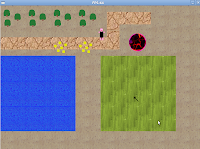
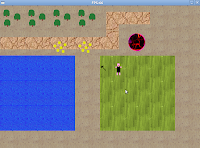
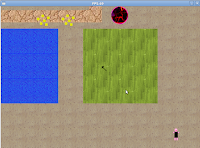
Important Note: From <now> i have decided to change the structure of the posts, i have received comments because my posts were confusing: I was mixing mandatory statements with suggestions and various and confusing thoughts, so i have decided to split this posts in two parts, the first one is going to be the objectives for the current post and the discussion about how to do things and my thoughts (in Italic), the second one is the solution to the problem.
In this post we have two objectives:
So we need a hero, in the near future it's going to fight the foes and rescue the princess (Female heroes will rescue the prince of course), but at the moment we just need to be able to draw the hero in the map, and to move him/her around it.
So what do we need? We just need to locate the hero in the map to draw it (X and Y location), that's all from now!, we are going to create the PcX, PcY and PcSpeed variables to store the position of the Player and the speed.
<It's always better to encapsulate things into classes , that's why it's useful C++, but sometimes, for simple things it is much more faster to just define a few variables, so that's what I'm going to do with the Hero (and with the camera too), the hero will grow in the future and will become a class(but not now)>
Since i started drawing the map on previous posts i was drawing just a small piece of it, showing just 8x6 tiles starting from the top-left corner of the map(screen), now the objective is to have a camera that follows the PC around the map.
I have been thinking in it and realized there was at least three kind of common cameras used in is the games (2D games):
To set up a camera we just need to define 4 variables: Width and height of the field of view , and the start of the camera "window", we could use a SDL_rect to define it so we will have something like:
Camera.x and Camera.y is the top-left corner of the camera, Camera.w and Camera.h is the window size that will be displayed.
Now, into the key input we need to move the player around the map, increasing it's x and y coordinates (adding or substring the PjSpeed), we must prevent player from getting outside the map so x and y must be always between 1 and 4900 (tiles*tilesize), finally we have to make the camera follow the player if it gets out the camera bounds:
The map drawing function has changed , now it travels across the map starting from the top left corner of the camera , translating the camera position (in pixels), to the properly tile in the map array, then it will blit the tile from all the three layers, notice the blitting function in the engine has changed, i will explain it later...
Now we draw the player, adjusting it to the camera too:
Finally i have added a new function to the simple engine: Text drawing, to test it i have added this code to the main program:
Now we are going to change the simple engine.
<Basically i have just changed two functions here: the blitting function and the mouse drawing function, after thinking about it i've seen that the blitting function was too complicated so i have reduced it to the x and y (pixel) start position and the tile to draw, i have added too a pair of functions to draw text on the screen , a function we are going to use in the next tutorials, there are two new functions: SetTextColor(SDL_color) to adjust the text color and Textout(x,y, TextToDraw), and that's it>
<engine.h>
<I will show here only the updated /new functions to avoid confusion, i have updated the creator and destructor, the blitting function, mouse drawing and text drawing>
<engine.cpp>
<Well, that was long! but now we have loaded a full map into memory and can travel north and south, east and west with the arrow keys on the keyboard, (i think it's a good start point) , ¿What to do next? , for me the question is clear: we need the hero to be more than a sprite moving up and down: we want it to have a name, skills, equipment.... I'm going to design a class that will be the hero with all the skills, and i want to Create the hero before actually we start "playing" the game>
Next tutorial topic is going to be: The Hero class + Creating heroes + Game Menus....
See you soon
P.D. You can find the code for the tutorial in the <Download page >
Important Note: From <now> i have decided to change the structure of the posts, i have received comments because my posts were confusing: I was mixing mandatory statements with suggestions and various and confusing thoughts, so i have decided to split this posts in two parts, the first one is going to be the objectives for the current post and the discussion about how to do things and my thoughts (in Italic), the second one is the solution to the problem.
In this post we have two objectives:
- Define and draw a hero.
- Define a camera, draw the map using the camera.
So we need a hero, in the near future it's going to fight the foes and rescue the princess (Female heroes will rescue the prince of course), but at the moment we just need to be able to draw the hero in the map, and to move him/her around it.
So what do we need? We just need to locate the hero in the map to draw it (X and Y location), that's all from now!, we are going to create the PcX, PcY and PcSpeed variables to store the position of the Player and the speed.
int PcX,PcY,PcSpeed;

PcX = 110;
PcY = 310;
PcSpeed = 5;
<It's always better to encapsulate things into classes , that's why it's useful C++, but sometimes, for simple things it is much more faster to just define a few variables, so that's what I'm going to do with the Hero (and with the camera too), the hero will grow in the future and will become a class(but not now)>
Since i started drawing the map on previous posts i was drawing just a small piece of it, showing just 8x6 tiles starting from the top-left corner of the map(screen), now the objective is to have a camera that follows the PC around the map.
I have been thinking in it and realized there was at least three kind of common cameras used in is the games (2D games):
- A camera that constantly moves, following the hero so we have the feeling that the hero is stopped and the map is moving.
- A camera that show a part of the map , and only moves when the hero is about to get out the map, so it will adjust the view only to prevent us to loose the hero.
- A fixed camera that shows a screen, when the user gets out of the screen it loads another complete scree.
To set up a camera we just need to define 4 variables: Width and height of the field of view , and the start of the camera "window", we could use a SDL_rect to define it so we will have something like:
SDL_Rect Camera;
Camera.x= 1;
Camera.y= 1;
Camera.w= 800;
Camera.h= 600;
Camera.x and Camera.y is the top-left corner of the camera, Camera.w and Camera.h is the window size that will be displayed.
Now, into the key input we need to move the player around the map, increasing it's x and y coordinates (adding or substring the PjSpeed), we must prevent player from getting outside the map so x and y must be always between 1 and 4900 (tiles*tilesize), finally we have to make the camera follow the player if it gets out the camera bounds:
keys=SDL_GetKeyState(NULL);

if (keys[SDLK_UP] ) PcY-=PcSpeed;
            if (PcY<1)PcY=1;
            while (PcY  <= (Camera.y )) Camera.y-=1;
if (keys[SDLK_DOWN] ) PcY+=PcSpeed;
            if (PcY>4900)PcY=4900;
        while (PcY +100 >= (Camera.y  + Camera.h ) )Camera.y+=1;
if (keys[SDLK_LEFT] ) PcX-=PcSpeed;
            if (PcX<1)PcX=1;
          while (PcX <= (Camera.x )  )Camera.x-=1;
if (keys[SDLK_RIGHT] ) PcX+=PcSpeed;
            if (PcX>4900)PcX =4900;
          while (PcX +100  >= (Camera.x  + Camera.w ))Camera.x+=1;
The map drawing function has changed , now it travels across the map starting from the top left corner of the camera , translating the camera position (in pixels), to the properly tile in the map array, then it will blit the tile from all the three layers, notice the blitting function in the engine has changed, i will explain it later...
for (x=Camera.x/100 ;x<=Camera.x/100 + (Camera.w/100);x++){//Process map
    for (y=Camera.y/100  ;y<=Camera.y/100 + (Camera.h/100);y++){

       myengine.BlitTileset(x *myengine.TileSize-Camera.x,
y *myengine.TileSize-Camera.y,Map[x][y][0]); //Display map, layer 1
myengine.BlitTileset(x *myengine.TileSize-Camera.x,y *myengine.TileSize-Camera.y,Map[x][y][1]);//Display map, layer 2
myengine.BlitTileset(x *myengine.TileSize-Camera.x,y *myengine.TileSize-Camera.y,Map[x][y][2]);//Display map, layer 3
};
};
Now we draw the player, adjusting it to the camera too:
myengine.BlitTileset(PcX - Camera.x ,PcY -Camera.y ,16); //Display player
Finally i have added a new function to the simple engine: Text drawing, to test it i have added this code to the main program:
myengine.SetTextColor( {0, 0, 255 }); // Set the text color
myengine.TextOut(10,10,"Rpg test"); //Draw the text at 10,10..
myengine.SetTextColor( {0, 255, 0 });
myengine.TextOut(10,30,"Rpg test");
myengine.SetTextColor( {255, 0, 0 });
myengine.TextOut(10,50,"Rpg test");
Now we are going to change the simple engine.
<Basically i have just changed two functions here: the blitting function and the mouse drawing function, after thinking about it i've seen that the blitting function was too complicated so i have reduced it to the x and y (pixel) start position and the tile to draw, i have added too a pair of functions to draw text on the screen , a function we are going to use in the next tutorials, there are two new functions: SetTextColor(SDL_color) to adjust the text color and Textout(x,y, TextToDraw), and that's it>
<engine.h>
#ifndef ENGINE_H #define ENGINE_H #include//SDL library #include //+SDL_image library (I use it for loading .png files) #include "SDL/SDL_ttf.h"//+SDL text library #include class Engine { public: SDL_Surface* screen; //The screen SDL_Surface* tileset; //A simple tileset for testing purposes only SDL_Surface* text;//The text surface TTF_Font *font;//The font that's going to be used SDL_Color textColor; //The color of the font int ScreenX;//Width of the screen int ScreenY;//Height of the screen int bpp;//Bit Per Pixel (colour depth) int MouseX; //Mouse x position int MouseY; //Mouse y position Uint8 MouseButtons; //Mouse button pressed int Frames; //Actual frame int FPS; //Frames per second int StartTick; int LastTick; Uint8 TileSize; //size of the default tile Engine(); //creator virtual ~Engine(); //destructor void SetVga(Uint16 Width, Uint16 Height, Uint8 BPP,bool FullScreen); //Set the video mode void FillColour(Uint8 r,Uint8 g,Uint8 b); //fill screen with a colour void Flip(); //Flips the backbuffer to the primary buffer void LoadTileset(const char *File); //loads a test tileset void DrawMouse(); //refresh mouse position and buttons pressed void BlitTileset(int x,int y, int tile); // Blit a tile from our tileset to the screen void Wait(Uint32 ms); //waits ms miliseconds int TimeElapsed(); //Get the time passed since last time control void UpdateTimer(); //Update the start time control void TextOut(int x, int y,const char *TextOut); void SetTextColor(SDL_Color color); protected: private: }; #endif // ENGINE_H
<I will show here only the updated /new functions to avoid confusion, i have updated the creator and destructor, the blitting function, mouse drawing and text drawing>
<engine.cpp>
Engine::Engine()//Create the class and assign default values
{

SDL_Init( SDL_INIT_VIDEO ); //We start SDL, just video at the moment

screen=NULL;
tileset=NULL;
text=NULL;

SDL_WM_SetCaption( "Rpg tutorial", NULL ); //Caption of the window

SDL_ShowCursor(SDL_DISABLE); // hide system mouse

//Initialize SDL_ttf
TTF_Init() ;

//Open the font
font = TTF_OpenFont( "CARBONBL.ttf", 28 );

TileSize =100; // size of the default tile 100 pixels x 100 pixels

ScreenX=800; //screen width
ScreenY=600; //screen height
bpp=32; //screen bpp

StartTick = SDL_GetTicks();//Initialize timer
Frames=0; //Initialize frames = 0
}

Engine::~Engine()//Destructor
{
    //Free all the surfaces
    SDL_FreeSurface(screen); //Free screen surface
    SDL_FreeSurface(tileset); //Free tileset surface
    SDL_FreeSurface(text);    //Free text surface
//Close the font that was used
TTF_CloseFont( font );
//Quit SDL_ttf
TTF_Quit();
SDL_Quit(); //Close SDL
}
void Engine::DrawMouse()
{
BlitTileset(MouseX,MouseY,24); //Blits the mouse pointer into the screen
}
void Engine::BlitTileset(int x, int y, int tile) //Blits a tile from our tileset to the screen
{
SDL_Rect start,end;
//set the cliping for the source surface (the tileset)
start.x= (tile%8)*TileSize; //Column = tile % 8 (0-7)
start.y= (tile/8)*TileSize; //Row = tile / 8 (0-7)
start.w=TileSize;
start.h=TileSize;
//set the cliping for the destination surface (the screen)
end.x =x; // X
end.y =y; // Y
end.w = TileSize;
end.h = TileSize;
SDL_BlitSurface(tileset, &start, screen, &end); //Blits a tile from our tileset to the screen
}
void Engine::TextOut(int x, int y,const char *TextOut)//Renders text
{
text= TTF_RenderText_Solid( font, TextOut, textColor );
SDL_Rect dtext;
dtext.x=x;
dtext.y=y;
dtext.w = text ->w;
dtext.h = text ->h;
//Apply the text to the screen
SDL_BlitSurface(text, 0, screen, &dtext);
}
void Engine::SetTextColor(SDL_Color Color)
{
textColor= Color;
}
<Well, that was long! but now we have loaded a full map into memory and can travel north and south, east and west with the arrow keys on the keyboard, (i think it's a good start point) , ¿What to do next? , for me the question is clear: we need the hero to be more than a sprite moving up and down: we want it to have a name, skills, equipment.... I'm going to design a class that will be the hero with all the skills, and i want to Create the hero before actually we start "playing" the game>
Next tutorial topic is going to be: The Hero class + Creating heroes + Game Menus....
See you soon
P.D. You can find the code for the tutorial in the <Download page >
Sunday, February 20, 2011
Code::Blocks(11) RPG 1 - Tileset and maps(4) Cleaning up
I have been speaking with a good friend about the project , he has told me about many things that should be changed to prevent errors and to improve the code so i have worked on it before going any further in the tutorials so here is a list of things i have changed:
He owes a good place with interesting tutorials (c++, sdl and many more things)for beginners and for experienced people too!
Bye!
- I have removed the reference to the engine destructor, c++ calls it automatically so there is no need to do that, in fact my code made some strange errors when closing the app randomly, now i know why...
- I have removed the checking of NULL pointers in the SDL_FreeSurface() the function can handle it, so there is no need of doing that.
- In the SDL_SetColorKey i was using the screen format, shouldn't do that, instead i should use tileset format to prevent type mismatch...
- LoadTileset() should use const char* instead the char* i was using
- I have split UpdateMouse() function, now there is a DrawMouse() function that just draws the mouse, i have taken out the code for handling the mouse and button movement i have also changed the getmousestate function for the sdl_event handling, now it's smoother.
He owes a good place with interesting tutorials (c++, sdl and many more things)for beginners and for experienced people too!
Bye!
Tuesday, February 15, 2011
Code::Blocks(10) RPG 1 - Tileset and maps(3)
Time to use a multi - layered map:

We want to draw (quite) complex things, starting from simple ones, the easier way to accomplish that is to use tiles (at least one used quite often), so we don't draw the full image, but just small pieces, with many pieces we can draw complex images, I'm going to use three (virtually four) layers of tiles:
Not very impressive right? but it shows the key to build complicated maps using simple tiles, divide an image into small pieces and use layers, we have applied here the latest updates to the simple engine class in the previous posts.
The basic difference between this projects and the life game one is that in the previous one the map was an array with two dimensions: cellmap[x][y], now it is a three dimensions map: map[x][y][layer], so when we draw the map we will have to draw first layer (0) to print the base ground, then layer(1) for the terrain objects and finally layer(2) to draw other objects, after we have drawn the map we will draw the mouse pointer.
Note: there are many , many ways to define and draw a map, here i have just used a simple way.. you can find more ways for example in Amit's game programming information but of course, you can use anything that meets your objectives.
In the next post: Our Hero drawn on screen, cameras , and other things....
Bye

We want to draw (quite) complex things, starting from simple ones, the easier way to accomplish that is to use tiles (at least one used quite often), so we don't draw the full image, but just small pieces, with many pieces we can draw complex images, I'm going to use three (virtually four) layers of tiles:
- The base ground: Sand, grass, water, etc.
- The ground objects: Rocks, trees, a road, a volcano, etc.
- Things that can lay on the ground: Treasures , any other inventory-related object, etc.
- On a virtual 4rd layer we will draw additional objects, not map-related such as PCs, NPcs, the mouse cursor, etc.
Not very impressive right? but it shows the key to build complicated maps using simple tiles, divide an image into small pieces and use layers, we have applied here the latest updates to the simple engine class in the previous posts.
The basic difference between this projects and the life game one is that in the previous one the map was an array with two dimensions: cellmap[x][y], now it is a three dimensions map: map[x][y][layer], so when we draw the map we will have to draw first layer (0) to print the base ground, then layer(1) for the terrain objects and finally layer(2) to draw other objects, after we have drawn the map we will draw the mouse pointer.
Note: there are many , many ways to define and draw a map, here i have just used a simple way.. you can find more ways for example in Amit's game programming information but of course, you can use anything that meets your objectives.
In the next post: Our Hero drawn on screen, cameras , and other things....
Bye
Tuesday, February 8, 2011
Code::Blocks(9) RPG 1 - Tileset and maps(2)
Thinking about the tileset blitting function i have changed my mind, i have realized that it's easier to make just one blitting function that can draw tiles using a grid system and adjust the tiles with an x and y offset.
Now let's change the function:
engine.h
Notice: OX and OY >> (Offset X and Y)
engine.cpp
That way we can use the same function to draw the map, the pcs , npcs and the mouse cursor, in fact we are going to change the mouse drawing function too so it will be like:
Easier that way , right?
In the next post, i will show how to draw a multi - layer map...
see you soon
Now let's change the function:
engine.h
void BlitTileset(int x,int y, int OX, int OY, int tile); // Blit a tile from our tileset to the screen
Notice: OX and OY >> (Offset X and Y)
engine.cpp
void Engine::BlitTileset(int x, int y, int OX, int OY,int tile) //Blits a tile from our tileset to the screen
{
SDL_Rect start,end;
//set the cliping for the source surface (the tileset)
start.x= (tile%8)*TileSize; //Column = tile % 8 (0-7)
start.y= (tile/8)*TileSize; //Row = tile / 8 (0-7) >> we could use here a bit shift to divide by 8, but i think it's easier to understand that way...
start.w=TileSize;
start.h=TileSize;
//set the cliping for the destination surface (the screen)
end.x = (x-1)*TileSize + OX; //Offset X
end.y = (y-1)*TileSize + OY; //Offset Y
end.w = TileSize;
end.h = TileSize;
SDL_BlitSurface(tileset, &start, screen, &end); //Blits a tile from our tileset to the screen
}
That way we can use the same function to draw the map, the pcs , npcs and the mouse cursor, in fact we are going to change the mouse drawing function too so it will be like:
void Engine::UpdateMouse()
{
MouseButtons = SDL_GetMouseState(&MouseX, &MouseY); //Update mouse state
BlitTileset(0,0,MouseX,MouseY,24); //Blits the mouse pointer into the screen
}
Easier that way , right?
In the next post, i will show how to draw a multi - layer map...
see you soon
Saturday, February 5, 2011
Code::Blocks(8) RPG 1 - Tileset and maps(1)
In the life game tutorial we have used that tileset:

Now we are going to use a different tileset:

We need to draw more things, in the last tutorial we just needed 4 cells states and a mouse cursor, now we are going to use a tileset with 8(width) x 8(height) =64 different tiles, (you can use any size but at the moment it is enough for us), i am going to divide the tiles using a logical way: each row has a particular function, so:
We need a new function to draw tiles, the one we have just use the tile size to adjust the position of the tiles, but now we need another one so we can adjust the tile to an offset x and y because we want to draw the characters at x=15(pixels), y=27(pixels), not at x=15(tiles), y =27(tiles).
Finally i'm going to adjust the tileset drawing function so we will pass the tile as a integer (0-63) and the function will automatically search the correct tile.
In the next post the two new tileset drawing functions.
bye
Now we are going to use a different tileset:

We need to draw more things, in the last tutorial we just needed 4 cells states and a mouse cursor, now we are going to use a tileset with 8(width) x 8(height) =64 different tiles, (you can use any size but at the moment it is enough for us), i am going to divide the tiles using a logical way: each row has a particular function, so:
- Row(0) will be the terrain tiles.
- Row(1) terrain object (trees, a volcano, roads...).
- Row(2) :PCs (NPCs): A person (kinda) , a cat and a dog.
- Finally in row(3) we have the mouse cursor.
- My horrid drawing skill with Gimp ;)
- There are many empty tiles so if we want to draw more things you can easily do it without making a big effort.
- I'm going to use more than one layer to draw the terrain, so we will use a base image for every tile , say grass, water, sand, etc and then we will draw other elements (rocks, threes , a road, etc) on a different layer to add complexity to the image.
We need a new function to draw tiles, the one we have just use the tile size to adjust the position of the tiles, but now we need another one so we can adjust the tile to an offset x and y because we want to draw the characters at x=15(pixels), y=27(pixels), not at x=15(tiles), y =27(tiles).
Finally i'm going to adjust the tileset drawing function so we will pass the tile as a integer (0-63) and the function will automatically search the correct tile.
In the next post the two new tileset drawing functions.
bye
Subscribe to:
Posts (Atom)

 Posts
Posts


